Miss one quote in a recorded interview and the cleanup can eat half your afternoon. That is why video transcription for journalists is no longer a nice-to-have. It is a reporting tool. Used well, it cuts turnaround time, sharpens accuracy, and makes long recordings searchable instead of painful.
But not every transcription workflow fits journalism. Reporters are not just trying to save time. They are handling embargoed interviews, source material, field recordings, and footage that may never be public. Speed matters. So do privacy, predictable costs, and transcripts you can actually work with.
Why video transcription for journalists matters now
Journalism has become deeply video-driven, even for teams that still think of themselves as text-first. Reporters record Zoom interviews, podcast-style conversations, press briefings, phone calls captured through screen recordings, and on-the-ground video clips from mobile devices. Every one of those files creates the same bottleneck: someone has to find the quote, verify the wording, and turn spoken material into publishable reporting.
Manual transcription still has a place for high-stakes passages, but doing everything by hand is expensive in the one currency every newsroom lacks - time. Automated transcription changes the equation. A strong transcript gives reporters a working draft they can search, scan, highlight, and pull from fast. It also gives editors more visibility into raw material without forcing everyone to sit through full recordings.
There is another shift happening too. More journalism now moves across formats. A single interview might feed a written story, a subtitled video clip, a newsletter excerpt, and a translated social cut. If the words start in transcript form, every downstream step gets easier.
What journalists actually need from a transcription tool
Accuracy is the obvious requirement, but it is not the whole job. A transcript can be 90 percent accurate and still waste time if speaker turns are messy, timestamps are missing, or exports are clunky.
For journalists, the best tools do a few practical things well. They identify speakers cleanly enough that a reporter is not forced to relabel every exchange. They make it easy to search for names, dates, and quoted language. They export into formats that fit a real workflow, whether that means plain text for note-taking, subtitles for publishing, or translated versions for multilingual distribution.
Privacy is the bigger differentiator. Journalists often work with sensitive material that should not become training data for someone else’s model. Source protection is not a branding line. It is part of the job. If a platform is vague about data handling, journalists should assume the trade-off is real.
Pricing also matters more than vendors like to admit. A seat-based plan with locked features might look reasonable until a team needs occasional high-volume processing. Usage-based pricing is often the cleaner fit for freelance reporters, small newsrooms, documentary teams, and anyone dealing with bursts of production around an investigation or breaking story.
Where transcription saves the most time in reporting
The biggest gains usually happen before writing starts. Instead of replaying the same 40-minute interview to find one quote, a reporter can scan the transcript, jump to the section they need, and verify against the media file. That shortens note review and reduces the chance of paraphrasing something that should have been quoted exactly.
Press conferences and public hearings are another obvious win. These recordings are often long, repetitive, and full of a few moments that actually matter. Transcription turns them into searchable documents. That means less scrubbing, faster clipping, and quicker fact checks.
Investigative and documentary work benefits differently. There, the value is often in managing scale. When hours of recorded material pile up, transcripts create structure. Themes become easier to spot. Contradictions are easier to compare. Editorial collaboration gets simpler because people can work from text before they return to the full footage.
The trade-offs journalists should watch
Automated transcription is useful, not magical. Strong accents, noisy environments, cross-talk, weak mics, and proper nouns can still create errors. Court names, local officials, and place names often need manual correction. That does not make the tool ineffective. It just means the transcript should be treated as a fast first draft, not the final record.
The right workflow depends on what the transcript is for. If the goal is internal note-taking and quote discovery, very high speed may matter more than near-perfect formatting. If the material is headed for publication as subtitles or a public transcript, editing standards should be much tighter.
There is also a risk of false confidence. A clean-looking transcript can hide subtle mistakes. Reporters still need to verify key quotes against the source file, especially for contested claims, legal exposure, or stories built on precise wording. Automation reduces grunt work. It does not replace editorial judgment.
How to build a better transcription workflow
Start with file quality. Clear audio improves everything downstream. If you can control the setup, use a decent microphone, minimize background noise, and ask speakers not to talk over each other. Better inputs mean less correction later.
Then separate use cases. Not every recording deserves the same level of effort. A routine briefing may only need a searchable transcript. A long-form profile interview may need speaker cleanup, quote verification, and selected subtitle exports. Treating every file the same creates unnecessary work.
It also helps to decide what happens immediately after upload. The most efficient teams do not stop at transcription. They move directly into search, excerpting, editing, subtitle creation, translation, or archive storage. The transcript should be the center of the workflow, not a side artifact.
For multilingual reporting, translation can be a major advantage, but context still matters. A translated transcript can help editors and producers understand material quickly, especially across international teams. For publication, though, nuance should be reviewed by someone who understands the language and story context. Fast translation is excellent for access and speed. Final editorial calls still need human oversight.
Privacy is not optional
Journalists already know the cost of weak operational discipline. A casual upload to the wrong system can expose unpublished reporting, confidential interviews, or identifying source details. That is why video transcription for journalists has to be evaluated as a security choice as much as a productivity choice.
Look for clear boundaries around data usage. If a provider trains on customer content, stores files indefinitely, or makes retention policies hard to find, that is not a small detail. It is a risk. The safer model is simple: your files are processed for your output, not recycled into someone else’s product.
This is where simplicity matters too. Complex enterprise tooling often promises control but adds friction. Most journalists do not need a six-step onboarding process to transcribe an interview securely. They need a platform that is fast, understandable, and explicit about what happens to their data. Everything else is noise.
What a good tool looks like in practice
A useful journalism transcription tool feels boring in the best way. You upload a file, get a transcript quickly, see speaker separation that mostly holds up, and export in the format you need without hunting through menus. If you need subtitles or translation, those steps are available without forcing you into a different product or a more expensive tier.
Cost should be easy to understand before you upload. Flat, usage-based pricing tends to be the cleanest model because it matches how reporting actually works. Some weeks are quiet. Some weeks involve ten interviews, two press events, and a breaking story at once. Paying for what you process is often more rational than paying for seats, limits, and add-ons you barely use.
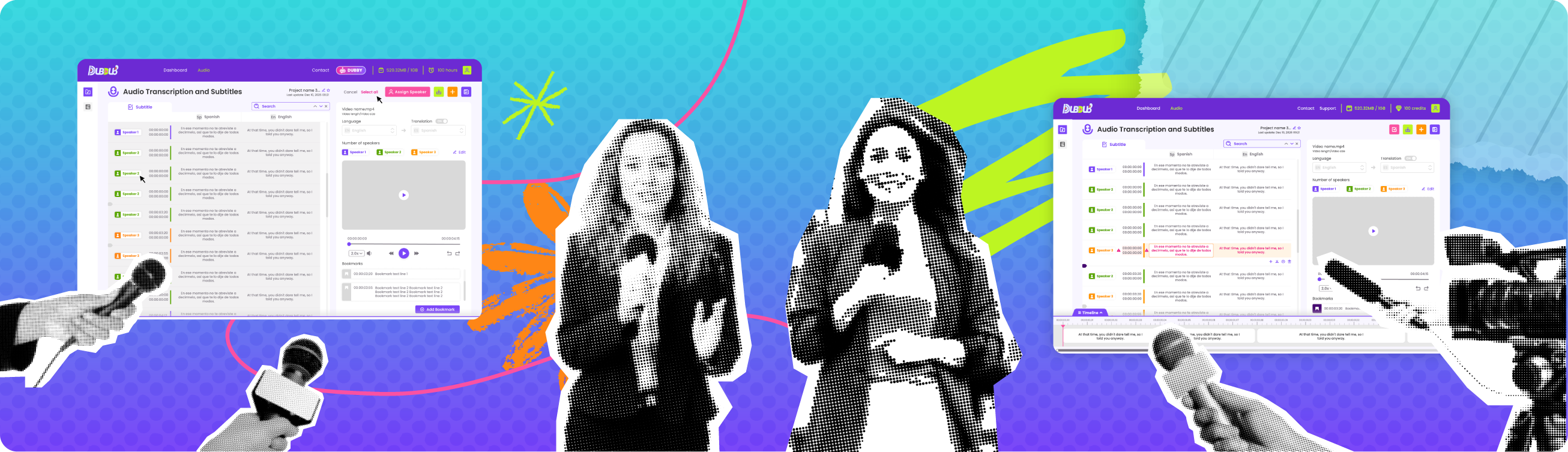
That is part of the appeal behind platforms like Dub-Dub. The pitch is straightforward: fast transcription, subtitles, translation, speaker identification, and privacy-first handling without enterprise bloat or vague pricing. For journalists, that simplicity is not cosmetic. It is operational.
A smarter standard for newsroom speed
The real value of transcription is not that it turns audio into text. It is that it removes friction from reporting. It helps journalists get to the quote faster, publish video with less overhead, collaborate across formats, and protect sensitive material without building a complicated process around every file.
If your reporting depends on recorded interviews, hearings, briefings, or field footage, transcription should not feel like admin work. It should feel like infrastructure. The best setup is the one that gets out of your way, respects your sources, and lets you spend more time reporting than rewinding.