A 45-minute meeting can quietly turn into five hours of cleanup if your transcript is full of missed names, merged speakers, and garbled action items. That is why knowing how to transcribe recorded meetings matters. Done right, transcription gives you a searchable record, faster follow-up, and fewer mistakes when decisions need to be checked later.
The best approach depends on what kind of meeting you recorded. A weekly team sync has different stakes than a legal interview, a customer call, or a research session with sensitive source material. Speed matters, but so do privacy, accuracy, and how much editing you are willing to do after the first draft lands.
How to transcribe recorded meetings without wasting time
If your goal is simple - get a clean transcript quickly - the fastest route is almost always automated transcription followed by a short review. Manual transcription still has a place, but mostly when the audio is difficult, the terminology is highly specialized, or the stakes are high enough that every line needs close verification.
Start by checking the recording itself. If the file sounds rough to you, it will sound rough to a transcription system too. Crosstalk, low microphones, speakerphones in echo-heavy rooms, and people talking over each other all lower accuracy. You do not need studio audio, but you do need speech that is reasonably clear.
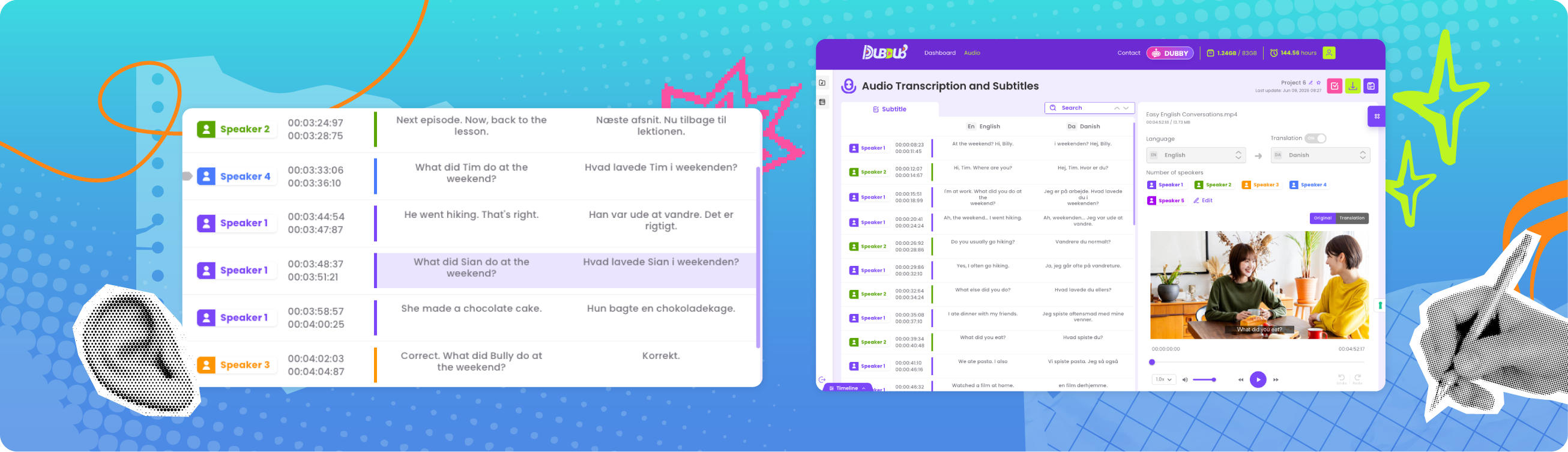
Once the recording is ready, upload it to a transcription tool that supports speaker identification and common export formats. For most professionals, that combination matters more than flashy extras. A transcript is useful when you can tell who said what when, search it quickly, and move it into your reporting, compliance, or content workflow without friction.
After processing, review the transcript for names, acronyms, product terms, and action items. Those are the places where errors usually matter most. You do not need to rewrite every sentence into perfect grammar unless the transcript is meant for publication. For internal records, clarity beats polish.
Choose the right transcription method
There are really three ways to handle meeting transcription: fully manual, automated, and hybrid.
Manual transcription gives you the most control, but it is slow. Even experienced transcribers often need several minutes for every minute of audio, especially if the conversation has multiple speakers. If you are transcribing a one-hour meeting by hand, expect that task to take most of a workday.
Automated transcription is the practical default for most teams. It is faster, cheaper, and good enough for the majority of business recordings, especially when the source audio is decent. This is usually the right call for standups, internal updates, interviews, webinars, sales calls, and content production.
The hybrid model is where most smart teams land. Let software create the first draft, then have a human check the sections that matter. That keeps turnaround fast while protecting accuracy where it counts. If the meeting includes legal risk, financial numbers, compliance language, or quotable statements, a review pass is worth the extra few minutes.
What makes a meeting transcript accurate
People often assume transcription quality is all about the software. It is not. Accuracy starts before you upload anything.
Speaker separation is a major factor. If five people are interrupting each other from one conference room mic, no transcription tool will produce a flawless transcript. If each person joins on their own mic or the room audio is captured cleanly, the result improves fast.
Audio quality is next. Recordings with background noise, keyboard clicks, HVAC hum, or internet glitches create predictable transcription problems. Technical language also matters. Industry jargon, internal abbreviations, and unusual names often need correction after the first pass.
Then there is accent and language complexity. Strong transcription platforms handle a wide range of accents and support multilingual workflows, but performance still varies by recording quality and speech patterns. If your meetings include multiple languages or code-switching, choose a tool built for that reality rather than one that assumes every call is plain English.
A practical workflow for faster cleanup
If you transcribe meetings regularly, the biggest gains come from process, not from chasing tiny accuracy improvements.
Name your files consistently before upload. Include the date, team, and meeting type so transcripts stay organized. A file called Q2_Product_Review_2026_06_22 is easier to find than final_audio_v3.
Use speaker labels whenever possible. Without them, the transcript becomes harder to review and far less useful later. Speaker identification is not just a nice feature. It is what turns a wall of text into a working document.
Edit in layers. First, scan for major errors such as wrong speakers, missing sections, and obvious word swaps. Then fix names, numbers, deadlines, and decisions. If the transcript is being shared externally, do a final readability pass. This is faster than trying to perfect every line on the first review.
Export in the format your team actually uses. TXT works for simple archives. DOCX is better for collaborative editing. SRT or VTT matters if the meeting recording will also be published with captions. One transcript often needs to serve several jobs, so format flexibility saves time.
Privacy is not optional
If you are handling client calls, legal interviews, internal strategy meetings, or research sessions, the transcription workflow is not just about convenience. It is about data handling.
This is where many teams get careless. They focus on price or speed and forget to ask what happens to uploaded content after processing. Does the provider train on your files? Are retention policies clear? Can sensitive meetings be processed without turning your recordings into someone else’s model input?
For confidential work, privacy terms should be easy to understand and strict enough to trust. That means no vague promises, no hidden usage of your media, and no enterprise maze just to get basic protections. Your content is yours. Full stop.
This also affects who can use transcription confidently. Journalists protecting sources, legal teams working through testimony, HR teams handling internal matters, and researchers managing participant data all need the same thing: speed without exposure. A tool that is cheap but unclear on data use can create more risk than value.
Finally, the domain matters, e.g. medcomms agencies working with pharmaceutical companies are often bound by strict confidentiality clauses. In such case, transcription is best done using a domain-specific, confidentiality-respecting tool such as CORTiX.io for medcomss agencies and medical affairs and marketing teams in pharma.
Cost matters more than most vendors admit
Meeting transcription is often sold with bloated plans, seat limits, and feature bundles that make simple tasks feel expensive. That works for vendors. It does not work for buyers who just need reliable output.
A cleaner model is usage-based pricing. You pay for the media you process, not for a padded subscription or a growing headcount. That is especially useful for startups, occasional users, and teams with uneven transcription volume. Some months you may process ten hours. Other months, one hundred. Your cost structure should follow the work.
Flat pricing also makes budgeting easier. When transcription becomes part of regular operations, unpredictability turns into friction. Clear per-hour pricing is easier to approve, easier to forecast, and easier to defend internally.
When you should still avoid full automation
Automation is the right default, but not every meeting should be treated the same.
If the recording includes overlapping speech from several people in a noisy room, expect more editing. If you need a certified transcript or one that will be scrutinized word by word, you may need human review or a specialist service. If the file includes sensitive personal information, make sure the platform’s privacy stance is explicit before you upload anything.
There is also a difference between a reference transcript and a final document. A reference transcript helps you search what was said, pull quotes, and confirm decisions. A final document may need cleanup, formatting, and redaction. Confusing those two use cases is where teams lose time.
How to get better transcripts from your next meeting
If you want better results next time, improve the source. Ask speakers to avoid talking over each other. Use decent microphones. Have remote participants join with headsets when possible. State names clearly at the start if speaker identification matters. Small changes at the recording stage remove a lot of cleanup later.
It also helps to choose tools built for real workflows, not just demos. Fast transcription, speaker recognition, subtitle support, translation, predictable pricing, and a no-data-training stance are not extras. They are the baseline for teams that need output they can use right away. That is why platforms like DUB-DUB appeal to both creators and professional teams. They cut the friction without asking you to trade away privacy or budget control.
If you are figuring out how to transcribe recorded meetings at scale, do not overcomplicate it. Start with clean audio, use automation for the first pass, review what matters, and keep your data in systems you actually trust. The best transcript is not the one with the most features attached. It is the one that saves time, protects the recording, and makes the next decision easier.